
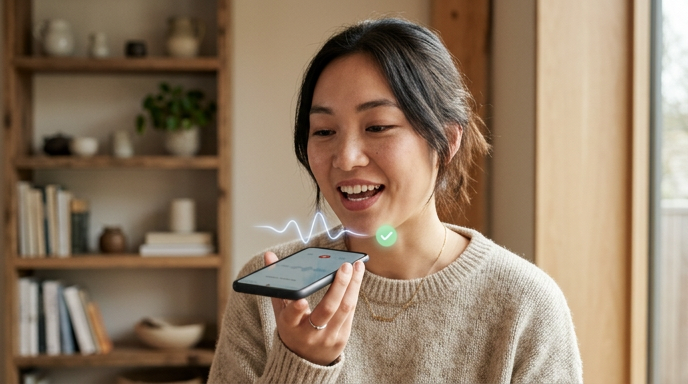
You've probably experienced this: you open a pronunciation app, say a word, and get a score. 72%. Then what? The app tells you "try again" — but it never shows you what you did wrong, let alone how to fix it.
That's the gap between a pronunciation checker and a pronunciation corrector. And it's the difference between spinning your wheels and actually improving your spoken English.
In this article, we'll break down why detection-only tools fall short, what a real checker + corrector experience looks like, and which AI-powered tools are actually worth your time in 2026.
![blog-EN[EN-005]-AIPronunciationCheckerCorrectorToolsDetectFixMistakes 1.png](/upload/blog-EN%5BEN-005%5D-AIPronunciationCheckerCorrectorToolsDetectFixMistakes%201.png)
Part 1: The Problem with "Detect Only"
Here's a scenario from real user experience:
You're practicing the word "schedule." You say it. The app flashes: "Pronunciation: 65%. Try again."
You try again. 68%. Again. 71%.
At no point does the tool tell you whether the correct pronunciation is /ˈsedʒuːl/ (British) or /ˈskedʒuːl/ (American). It doesn't play a model pronunciation. It doesn't highlight which syllable you're stressing wrong. It just keeps scoring you.
This is the core problem with detection-only pronunciation tools. They can identify that something is off — modern speech recognition is genuinely good at that — but they stop there. For a learner, knowing you're wrong without knowing how to be right is almost more frustrating than not knowing at all.
The 98% detection accuracy claim you see on marketing pages? Impressive. But if after flagging your mistake the app just says "wrong pronunciation" and leaves you guessing, that 98% doesn't translate into any real improvement for you.
Part 2: What Detection + Correction Actually Looks Like
A true checker + corrector tool does three things in sequence:
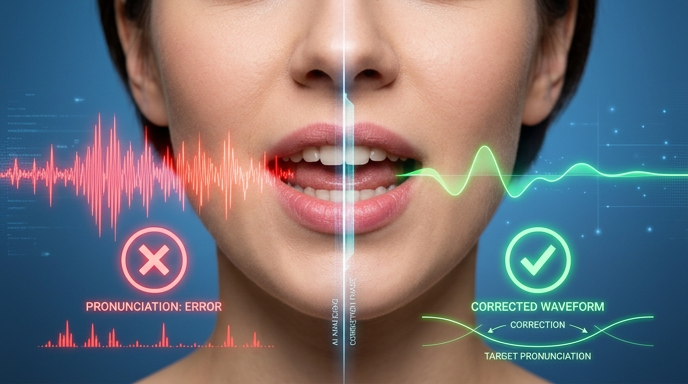
First, it catches the error in real time. As you speak, the AI identifies specific phonemes, stress patterns, or intonation issues — not just a vague overall score.
Second, it shows you exactly what went wrong. It highlights the problematic syllable, displays the correct phonetic transcription, and lets you hear a native-like model pronunciation. You can compare your recording side by side with the model.
Third, it gives you a chance to practice. The best tools don't just correct once and move on. They weave the corrected pronunciation back into your conversation or drill, letting you use it in context until it sticks.
![blog-EN[EN-005]-AIPronunciationCheckerCorrectorToolsDetectFixMistakes 2.png](/upload/blog-EN%5BEN-005%5D-AIPronunciationCheckerCorrectorToolsDetectFixMistakes%202.png)
This three-step loop — detect, demonstrate, drill — is what separates tools that actually change how you speak from tools that just generate a scoreboard.
Part 3: Top AI Pronunciation Checker + Corrector Tools Compared
Let's look at five tools that offer varying degrees of detection and correction. We'll focus on what each tool actually does after it catches a mistake.
ELSA Speak
ELSA is one of the most well-known names in AI pronunciation. Its strength lies in granular phoneme-level feedback — it uses a color-coded system (red/yellow/green) to show which specific sounds you're getting wrong. It provides model pronunciation and lets you compare your recording. However, ELSA's correction happens in isolated drill mode — you repeat words and sentences one at a time. There's no free-flowing conversation where corrections happen naturally.
BoldVoice
BoldVoice focuses specifically on accent reduction, with content designed by Hollywood dialect coaches. It provides video-based model pronunciation and detailed feedback on individual sounds. The correction experience is polished for American English specifically. Like ELSA, it operates primarily in a structured lesson format rather than open-ended speaking.
Pronounce AI
Pronounce (pronounce.ai) takes a slightly different approach — it checks your pronunciation during actual conversations, not just isolated drills. It records your speech during meetings or practice sessions and provides post-session feedback. The correction is there, but it's not real-time — you review your mistakes after the fact rather than getting on-the-spot guidance.
![blog-EN[EN-005]-AIPronunciationCheckerCorrectorToolsDetectFixMistakes 3.png](/upload/blog-EN%5BEN-005%5D-AIPronunciationCheckerCorrectorToolsDetectFixMistakes%203.png)
SpeechAce
SpeechAce is built primarily for developers and educational platforms rather than individual learners. It offers strong detection APIs, but the end-user correction experience depends heavily on how the platform using its API implements it. For individual learners looking for an out-of-the-box solution, the experience can feel fragmented.
TalkMe
TalkMe approaches pronunciation correction differently — it happens inside real conversations. When you're talking with TalkMe's AI tutor about any topic, the system detects pronunciation errors in real time and provides instant correction within the flow of conversation. Instead of stopping you mid-sentence with a score card, TalkMe shows the correct pronunciation, lets you hear it, and naturally guides you to try again — all without breaking the conversational rhythm.
The key difference: TalkMe doesn't separate "pronunciation practice" from "speaking practice." You work on your pronunciation while actually using English — ordering coffee, discussing news, practicing a job interview. The correction is contextual. If you mispronounce "negotiate" during a business English scenario, you learn it in that context, which makes the correction stick far better than isolated word drills.
Part 4: How to Evaluate a Pronunciation Tool's Correction Quality
When choosing a tool, move past the marketing claims and ask these four questions:
1. Is correction real-time or post-session? Real-time feedback lets you adjust immediately. Post-session reports are useful for review but don't build the muscle memory that comes from in-the-moment correction.
2. Does it show you how to fix the error? A good corrector provides phonetic transcription, audio models, and visual indicators of where the problem is — not just a score.
3. Does correction happen in context? Tools that correct during actual conversation produce better long-term results than those that only work in isolated drill mode. Language doesn't exist in a vacuum, and neither should pronunciation practice.
4. Can you practice the correction immediately? The best tools close the loop — detect, demonstrate, then let you try again right away, ideally multiple times until you get it right.
![blog-EN[EN-005]-AIPronunciationCheckerCorrectorToolsDetectFixMistakes 4.png](/upload/blog-EN%5BEN-005%5D-AIPronunciationCheckerCorrectorToolsDetectFixMistakes%204.png)
The Bottom Line
A pronunciation checker that doesn't correct is like a GPS that says "you're lost" without showing you the way. The technology to both detect and correct exists — the question is which tools actually implement the full loop.
When evaluating your options, prioritize tools that correct in real time, provide clear models, and — most importantly — let you practice corrections in real conversations. That's where pronunciation actually improves: not in a score dashboard, but in the moment you say a word correctly for the first time without thinking about it.
The tools are out there. Pick one that closes the loop.


Comments
No comments yet.
Leave a Comment